ZenView + ZenPACS
The diagnostic viewer is a browser tab.
MPR, volume rendering, PET-CT fusion, mammography — on any workstation, with nothing to install. Open a study from the worklist and the first image is already on screen. Underneath, ZenPACS: the archive every DICOM device connects to directly.
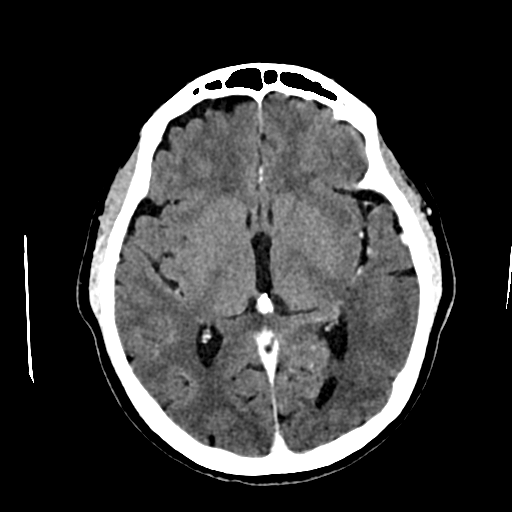
Not a preview. Diagnostic.
ZenView is the platform's diagnostic viewer — a Class I medical device registered with ANMDMR (Romania). Everything you do today on a dedicated workstation, you do in the browser: measurements and annotations that save with the study, cine mode for dynamic series, native multi-monitor — worklist on one screen, images on the others.
Heavy tools don't demand heavy hardware. Reconstructions are computed on the server; your workstation just displays them.
- 2D/3D MPR. Multiplanar reconstructions in any plane, straight from the series, no intermediate steps.
- Volume rendering and MIP. The volume rotates fluidly in the browser; angiograms read in maximum intensity projection.
- PET-CT fusion. Overlay with adjustable opacity and thresholds, in the same tab, no export.
- Synced-series comparison. Current study and prior scroll together, slice by slice.
- Hanging protocols. The layout arranges itself: by modality, by department, by each radiologist's preferences.
- Mammography. Dedicated display, left–right comparison, magnifier and inversion — the screening workflow, respected.
The first image, before you sit down.
ZenView doesn't download the study — it streams it. The image appears first at working resolution, then refines to diagnostic quality, and series load as you scroll. A CT with thousands of slices opens as fast as a plain X-ray.
Zero footprint means exactly that: no install, no plugin, no hardware dongle. A new workstation is ready to read in the time it takes to open a browser.
ZenPACS. The archive that sets no conditions.
CT, MRI, mammography, ultrasound, CR/DR — if it speaks DICOM, it connects directly to ZenPACS. No intermediate gateways, no negotiations with the equipment vendor.
And if your tenant has several institutions, each one gets its own PACS archive. Not a filter over a shared archive — a separate archive. Isolation isn't something you configure; it's how the platform is built.
- Direct connection. Any DICOM device sends straight to the archive, from day one.
- Prior prefetch. When the patient shows up in the schedule, previous studies are already pulled local. You open them, you don't wait for them.
- Routing. Rules by modality, source and destination: studies find their own way to teleradiology, to backup, to the right institution.
Desktop, for purists.
Prefer a native app? ZenView Desktop exists for exactly that — same studies, same archive, installed locally. It's an option, not a requirement: the platform never depends on it.
And if you have years of reflexes in RadiAnt, OsiriX or Horos, you keep them. One click in the worklist and the study opens in your viewer, with priors already fetched by ZenPACS. The report, you still write in ZenRIS.
The part IT actually reads.
Runs on the hospital's servers or in the cloud, in EU data centers — same features, same version, either way. No agents on workstations, no licenses to install, no fleet of applications to maintain.
- SSO and 2FA. Sign-in via AD, LDAP or SAML, with a second factor wherever policy requires it.
- Encryption. In transit and at rest, for images and data alike.
- Full audit log. Who opened which study, when and from where — it all stays on record.
- Backup and DR. Restore procedures that are defined and testable, not just copies.
- GDPR. Hosted in the EU/Romania, data under European jurisdiction.
- Standard DICOM. The archive stays yours, in standard format. Leaving is as simple as arriving.
The full list is in the PDF. The viewer, in the browser.
The ZenView + ZenPACS technical sheet — with the full feature list, supported formats and requirements — downloads below. But the shortest route is still the other one: open the demo and read a study. There's nothing to install, so there's nothing to prepare.