08:52ZenPlan
Booking
The front desk sees every location, scanner and physician in real time. The patient gets confirmation and prep instructions by SMS — and if an earlier slot opens up, the waiting list offers it on its own.
RIS · PACS · AI — on-premise or cloud
From scheduling to reimbursement by CNAS (Romania's national health insurance house): worklist, diagnostic viewer, AI-assisted voice dictation in Romanian, teleradiology, patient portal and billing — one platform, not a single install on any workstation.
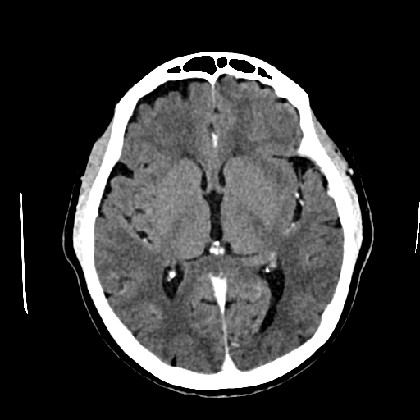 IONESCU M. · 58Y · fictitious data W 80 · L 40 · IM 15/28 scroll — slices · drag — contrast · click the series
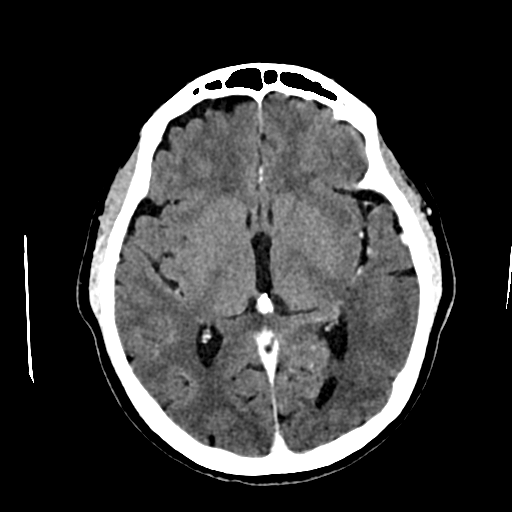
 A real CT study (anonymized), rendered straight from the ZenPACS archive — exactly what it looks like in the browser.
A classic RIS comes with installs on every workstation, hardware dongles, counted licenses and five vendors who don't talk to each other.
ZenRIS comes with one URL.
The life of a study
Follow a head CT through ZenRIS — from booking to payment. Every step, one module. All of it, one system.
08:52ZenPlan
The front desk sees every location, scanner and physician in real time. The patient gets confirmation and prep instructions by SMS — and if an earlier slot opens up, the waiting list offers it on its own.
09:41Modality integration
By appointment time, the patient's details are already on the scanner console, via DICOM worklist. Nobody retypes anything: zero identity errors, zero lost studies.
09:44ZenPACS + ZenFlow
Images land in the institution's archive within seconds. Routing does its job on its own: prior studies attach themselves for comparison, and AI moves urgent cases to the top of the list — before anyone even has to ask.
09:52ZenView
The radiologist opens the study in a tab: MPR, 3D, comparison with prior exams, hanging protocols that arrange the series exactly the way they like. In the browser — at the hospital, or from home, on call.
10:05ZenReport + ZenVoice
They speak. The report writes itself, in Romanian, on the department's template. AI structures the text and suggests the conclusion; signing takes one click, and every version stays in the history.
10:13ZenPortal + ZenBill · ZenAgent
The patient and the referring physician get a secure link with the images and the report — no CDs, no trips back to the clinic. In the background, the services are already priced, and the CNAS claim goes out automatically: no SIUI (the legacy desktop reporting app), no exports.
Multi-institution · isolation
ZenRIS is built for clinic chains, hospitals and teleradiology networks. Each institution lives in its own PACS archive, with its own users, templates and billing — not “logically separated” by a filter on a shared database, but separated at the level of architecture.
Click an institution: only its path lights up. Between institutions there is no path at all — the ✕ isn't decoration.
“Isolation isn't a setting.
It's the architecture.”
On-premise · cloud
There is no “cloud version” and “on-premise version” — there is one ZenRIS. The choice is about where the data lives and who runs the hardware, not about what the platform can do.
your institution's perimeter
Data never leaves the institution. Modalities connect directly on the local network, control is total, and access is still through the browser — including from home, over a secured channel. For hospitals and groups with strict data policies.
cloud · European Union
Zero hardware, zero maintenance, hosting in the European Union. A new institution goes live the same day, and scaling is a decision, not an infrastructure project.
| On-premise | Cloud | |
|---|---|---|
| Where the data lives | Inside your institution | In the EU, in certified data centers |
| Who runs it | Your IT team, with our support | We do, with an SLA |
| How you start | Install on your existing infrastructure | New account, same day |
Same version. Same features. Same browser. And if you change your mind along the way, migration is a plan — not a rewrite. See the architecture in detail →
Security · compliance
In medical imaging, security isn't a marketing paragraph — it's a checklist. Ours is short, concrete, and verifiable at the demo.
10:13  Dr. Ionescu M.  opened      head CT #2026-0412
10:14  Dr. Ionescu M.  signed      report v2
10:19  patient portal  downloaded  signed report
       (link has since expired)
Ask us for the full list of controls at the demo. Or better yet — bring your IT team and let them ask.
Platform modules
You don’t buy modules — you get the platform. And licensing is by storage: not per user, not per workstation, not per module.
Diagnostic viewer in the browser: MPR, 3D, comparisons, mammography. For purists, there's also ZenView Desktop — an option, not an obligation.
Details → →Each institution's own DICOM archive: any modality connects directly, prior studies attach themselves.
Details → →Structured reports on the department's templates, electronic signing, full version history.
Details → →Teleradiology with pools, automatic assignment and visible deadlines — your radiology, at scale.
Details → →Voice dictation in Romanian, native to the RIS: you speak, the report writes itself. No separate applications.
Automation and AI triage: rule-based routing, escalations, notifications. Urgent cases don't wait.
Multi-site scheduling: calendars per scanner and physician, SMS, waiting list.
The on-call scheduler — study routing knows who's on duty, automatically.
Results reach the patient and the referrer through a secure link. CDs: zero.
Details → →Fully automatic billing and CNAS claims — no SIUI desktop, no exports.
Details → →Also included — capabilities others sell as separate products:
Book a 30-minute demo — or bring your own anonymized DICOM files and watch them cross the platform: from arrival, to report, to portal.
The demo runs in your browser. Obviously.